FairPlay Payment Methods: Deposits and Withdrawals for Indian Players

FairPlay may allow users in India to add and withdraw funds through several supported payment methods. Transactions can be handled in Indian rupees, with options such as UPI commonly used for quick deposits. Eligible users may also have access to different payout methods when requesting withdrawals from their account.

The speed of a transaction, minimum and maximum limits, and any verification steps can vary depending on the selected payment option. Users should review the latest payment conditions, available methods, processing estimates, and account requirements before making a deposit or requesting a withdrawal.

Which Deposit Methods Can You Use on FairPlay?

FairPlay may support a variety of deposit methods for users in India, including UPI, Paytm, PhonePe, net banking, digital wallets, debit and credit cards, and selected cryptocurrencies.

Many deposits may be processed within about 60 seconds, although the actual time can differ based on the payment channel, provider, and account status. Minimum and maximum deposit limits can also vary between the available methods.

For UPI transactions, the minimum deposit may start at ₹500, which can make it a suitable option for users who prefer smaller deposit amounts. The limits for other supported payment methods are outlined in the table below.

Deposit Option Starting Deposit Maximum Amount Estimated Processing Potential Charges
UPI (Google Pay, PhonePe, BHIM) Starts from ₹500 Up to ₹90,000 Generally credited immediately No fee charged by the platform
Paytm Wallet Starts from ₹500 Up to ₹90,000 Generally credited immediately No fee charged by the platform
PhonePe Starts from ₹500 Up to ₹90,000 Generally credited immediately No fee charged by the platform
Net Banking Starts from ₹1,500 Up to ₹100,000 Normally completed within 15 minutes No fee charged by the platform
Debit or Credit Card Starts from ₹1,000 Up to ₹90,000 Generally credited immediately No fee charged by the platform
Skrill or Neteller Starts from ₹1,000 Up to ₹90,000 Normally credited immediately Charges from the payment provider may apply
Cryptocurrency Starts from ₹500 Up to ₹100,000 Usually completed in around 2 to 10 minutes Blockchain transaction fees may apply

How to Add Money to Your FairPlay Account

Adding funds to the FairPlay platform can usually be completed through a short series of steps. Users first need to log in to an existing account or finish creating a new profile. After signing in, they can open the Cashier or Banking area and review the payment methods currently available.

The next step is to select a preferred deposit option and enter an amount that satisfies the minimum requirement for that method. Any requested payment details must then be provided, followed by confirmation through the relevant bank, digital wallet, card provider, or payment service.

After the transaction has been authorised successfully, the deposited amount is generally added to the available account balance. Many payment methods may credit funds within seconds, while some transactions can require a few additional minutes depending on the provider and processing conditions.

UPI

Add Funds Through UPI

UPI may provide a quick way to fund a FairPlay account through supported apps such as Google Pay, PhonePe, BHIM, or Paytm. Users can open the deposit area, select UPI as the payment method, enter the intended amount, and submit a valid UPI ID when required.

In some cases, the payment screen may display a QR code instead of requesting a UPI ID. Users can scan the code through their preferred UPI application, confirm the displayed amount, and approve the transaction only after checking the payment details.

Qualifying UPI payments may appear in the account balance soon after authorization. However, the exact credit time can differ depending on the payment service, bank response, and transaction status.

Fund Your Account by Bank Transfer

A bank transfer may be suitable for users who want to move money directly from a supported bank account. After choosing the bank transfer option in the cashier, users should follow the payment instructions and use the banking details displayed on the screen.

Before confirming the transaction, the beneficiary name, account information, transfer amount, and any payment reference should be checked carefully. The payment can then be authorised through the user's banking app or online banking service.

Bank transfers can require more processing time than instant payment options. Availability, transaction limits, and settlement speed may vary according to the bank, transfer method, and payment conditions shown for the account.

Add Funds With Cryptocurrency

Digital-asset deposits may be available for users who prefer cryptocurrency payments. After selecting a supported asset such as Bitcoin or USDT, users can copy the wallet address provided in the cashier or scan the displayed QR code.

The receiving address, selected blockchain network, and deposit amount should all be verified before funds are sent. Transferring cryptocurrency through an unsupported network or to the wrong address may cause the transaction to fail or result in funds that cannot be recovered.

Cryptocurrency payments are normally credited after the required number of blockchain confirmations has been reached. Completion time and applicable network charges can vary depending on the selected asset and current blockchain traffic.

Common FairPlay Deposit Problems and How to Resolve Them

Most FairPlay deposits may be processed normally, but users can occasionally experience failed payments, delayed credits, or transaction errors. The following points cover several common deposit problems and practical steps that may help resolve them.

  • Bank declines the transaction. Some banks may restrict or reject certain online payments. Users can try another supported deposit method, such as UPI or a digital wallet, or contact their bank to confirm whether any payment limits or security restrictions are affecting the transaction.

  • Funds do not appear in the account. A successful payment may sometimes take longer to reflect because of temporary delays involving the bank or payment provider. Users can wait up to 15 minutes and check the transaction status again. If the deposit is still missing, they should contact FairPlay support and provide the relevant transaction details.

  • UPI payment does not go through. UPI transactions can fail because of an incorrect UPI ID, insufficient funds, daily transaction limits, or a temporary service issue. Users should review the error shown in their UPI application, verify the payment information, and attempt the transaction again when appropriate.

  • Deposit amount is too low. Each payment option may have its own minimum deposit threshold. Payments below the required amount may not be accepted. Users should confirm the current minimum displayed in the FairPlay cashier before submitting the transaction.

Withdrawal Method Minimum Withdrawal Maximum Withdrawal Typical Processing Time Possible Fees
UPI From ₹500 Up to ₹500,000 Usually processed within 1 to 3 hours No platform fee
Net Banking / Bank Transfer From ₹1,500 Up to ₹1,000,000 Usually processed within 3 to 24 hours No platform fee
Skrill / Neteller From ₹1,000 Up to ₹500,000 Typically completed within 24 hours Payment provider fees may apply
Cryptocurrency From ₹1,000 Up to ₹2,000,000 Usually processed within 1 to 2 hours Blockchain network fees may apply

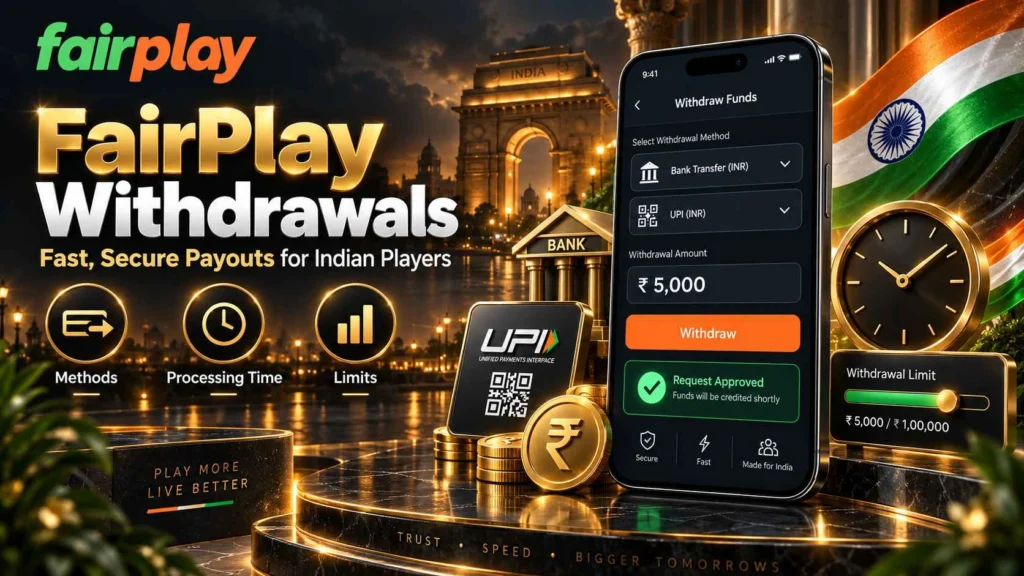
FairPlay Withdrawals: Methods, Processing Times, and Limits

FairPlay may offer several withdrawal methods for eligible users in India. When supported, a withdrawal is often returned through the same payment channel that was originally used to fund the account.

Certain payment options, such as Paytm, PhonePe, debit cards, and credit cards, may be available for deposits without necessarily supporting withdrawals. If this happens, users may need to select another approved payout method that is linked to their verified account.

Withdrawal limits, processing speeds, and available payout options can vary according to the selected method, account status, verification level, and any additional security checks required before the transaction is completed.

Ways to Avoid Deposit and Withdrawal Delays

Preparing a few account and payment details in advance may help transactions move through the process more smoothly. Before making a FairPlay deposit or submitting a withdrawal request, users should confirm their verification status, payment information, available transaction limits, and the requirements of the selected method.

  • Finish Verification Before Withdrawing. Complete any required identity checks or KYC steps as early as possible. If additional documents are requested during a payout review, having the account verified beforehand may reduce the chance of avoidable delays.
  • Confirm All Payment Information Carefully. Check the UPI ID, bank details, wallet information, or cryptocurrency address before approving a transaction. Incorrect details may cause a payment to fail, remain pending, or require further verification.
  • Maintain Active Contact Details. Keep the registered mobile number and email address current and accessible. OTPs, payment updates, security notifications, and additional verification requests may be sent through these channels.
  • Use Payment Methods Linked to the Correct Name. Where account rules require it, use a bank account, UPI ID, or payment service that matches the name registered on the FairPlay profile. Matching information can simplify payment checks and lower the likelihood of additional account review.
  • Check Transaction Limits in Advance. Review the minimum and maximum amounts allowed for the selected deposit or withdrawal method before submitting a request. Banks, UPI providers, digital wallets, and other payment services may also apply separate daily or per-transaction limits.
  • Keep Payment References Until Completion. Save transaction IDs, confirmation messages, reference numbers, and useful screenshots until the deposit appears in the account or the withdrawal reaches the intended payment method.
  • Do Not Duplicate a Pending Payment. When a transaction is still being processed, check its status before attempting the same payment again. Multiple identical requests can make transaction tracking and reconciliation more difficult.
  • Use Verified Support When a Payment Is Delayed. If a deposit remains missing or a withdrawal takes longer than the stated processing period, contact the official support channel and provide the relevant transaction reference and payment details so the request can be reviewed.

FairPlay Deposits and Withdrawals: Frequently Asked Questions

The time required to complete a FairPlay withdrawal may depend on the payout method, withdrawal amount, account status, and any verification checks that apply. Some eligible requests may be completed within several hours, while others can take longer if additional KYC or payment review is needed.

FairPlay may support UPI deposits through services such as Google Pay, PhonePe, BHIM, and other compatible UPI applications. Users should review the cashier for the payment methods currently offered, along with the relevant limits and instructions, before sending funds.

A deposit can remain pending because of bank processing, delayed UPI confirmation, payment-provider maintenance, security checks, or temporary network congestion. Users should keep the transaction reference or payment ID and contact the official support channel if the funds are not credited within the expected processing period.

Certain payment methods may not carry a direct FairPlay platform charge, but third-party providers can still apply their own fees. Banks, card issuers, digital wallets, and cryptocurrency networks may add transaction costs, so the final payment details should be reviewed before confirming a deposit or withdrawal.

Identity or KYC verification may be required before selected FairPlay withdrawal requests can be approved. Users should keep their account information accurate and provide only the documents requested through the official verification process.

Start by checking the payout status in your account and verifying that the withdrawal details are correct. If the request remains pending beyond the stated timeframe, contact the official support team and provide the amount, transaction reference, and any relevant payment confirmation information.